
- Download the viewer. Choose the EXE version unless you have a technical reason not to.
- Save the file to your desktop.
- Right-click it and choose Run as administrator to install.
Free For every CA student
Study smarter, chapter by chapter.
ICAI’s latest RTPs, MTPs, past papers and study material, reviewed and arranged chapter-wise in ICAI language, with amended answers.
Chapter-wiseAmended answersPhone, tablet or laptop
Latest ICAI materials, chapter-wise
Pick your level and subject. Everything here is free to download.
Subject
Type
Open secure PDFs in three steps
Materials marked Secure PDF are protected .pdc files. Set up the free Safeguard Viewer once, then open any of them.
- Open the email from Vivitsu and download the file under Your License.
- OR
- Log in at thevivitsu.com with your phone number and open Dashboard in the header.
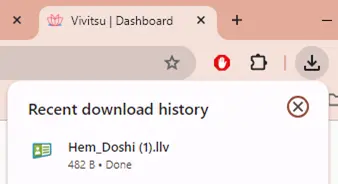
- Under Your Soft Copies, choose Download License. You’ll get a .llv file.
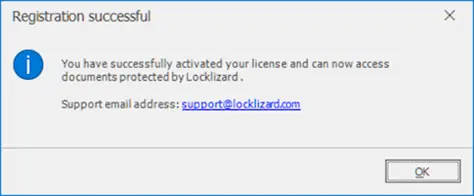
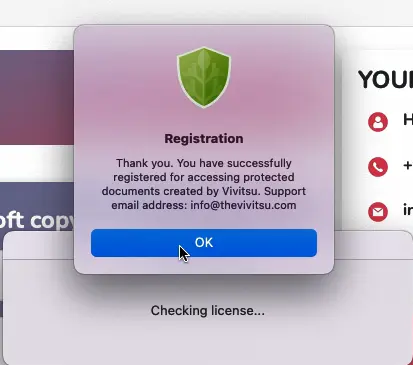
- Open the .llv file and choose Open with Safeguard Viewer. A message confirms you’re registered.
Show screenshots (4)


- Log in at thevivitsu.com with your phone number and open Dashboard in the header.
- Choose the cloud icon to download your files. They’re .pdc files.
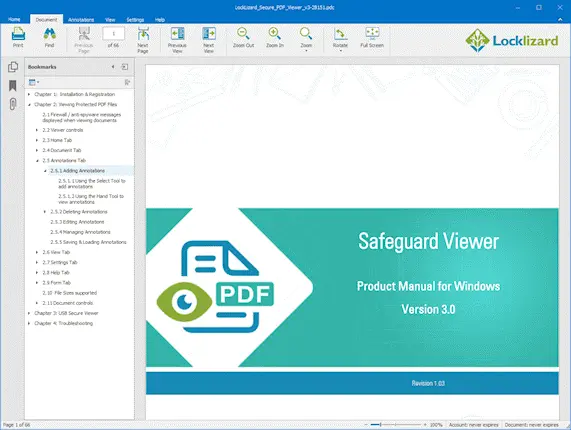
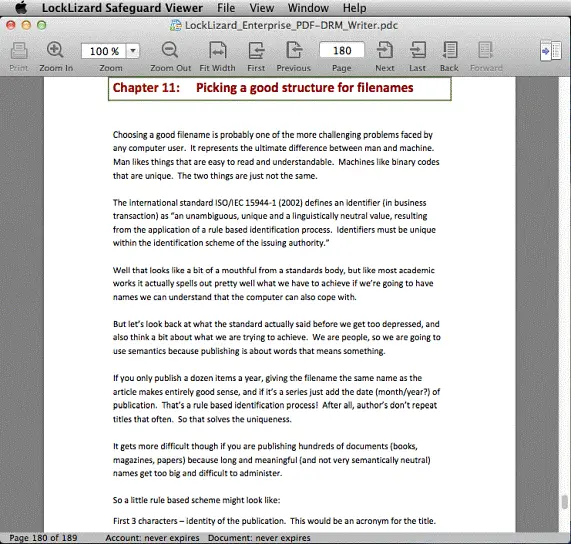
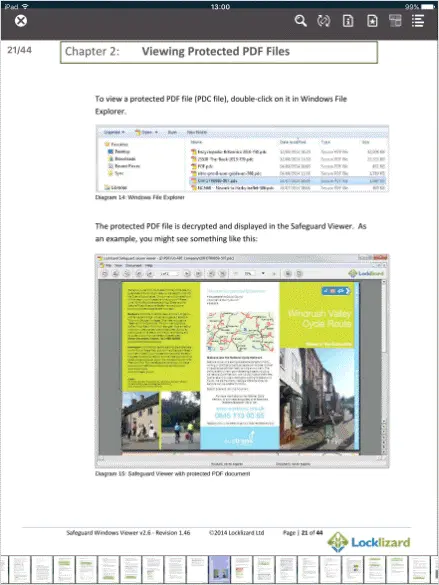
- Double-click a .pdc file. It opens in Safeguard Viewer.
Show screenshots (2)
- Make sure your phone has the latest system updates.
- Install Safeguard Viewer from Google Play.
- Open it and choose Allow so it can access media and files on your phone.
- The Safeguard Viewer icon appears on your home screen.
Show screenshots (1)
- Open the email from Vivitsu and download the file under Your License.
- OR
- Log in at thevivitsu.com with your phone number, tap the menu (three lines) in the header, then Dashboard.
- Under Your Soft Copies, choose Download License. You’ll get a .llv file.
- In Safeguard Viewer, choose Import file, open Downloads and pick the .llv file.
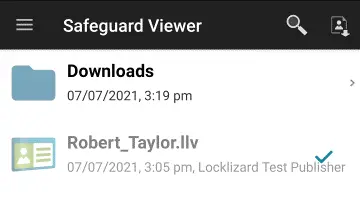
- A message confirms you’re registered. The license then shows greyed out in the library.
Downloaded the license more than once? The file must be named “(Your Name).llv”. If it ends in “.llv (1)”, rename it and remove “(1)”. Nothing should come after “.llv”.
Show screenshots (7)
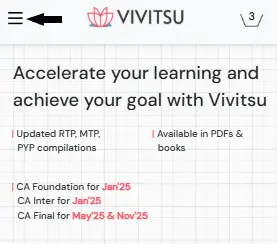
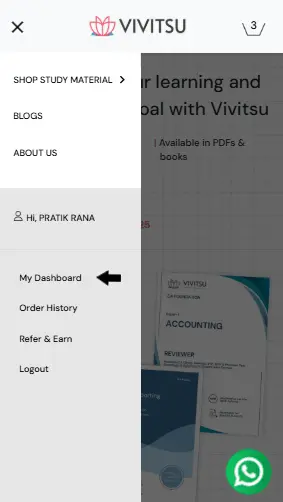
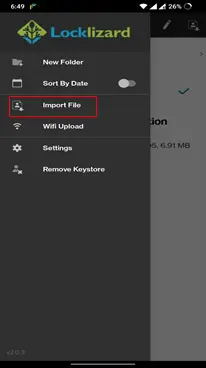
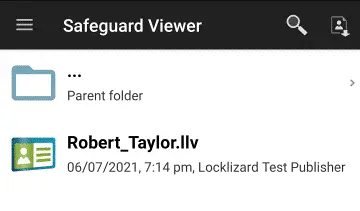
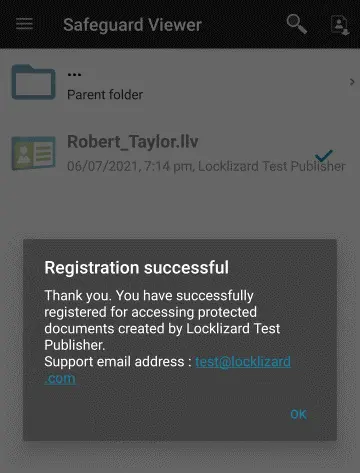
- Log in at thevivitsu.com with your phone number, tap the menu (three lines) in the header, then Dashboard.
- Tap the cloud icon to download your files.
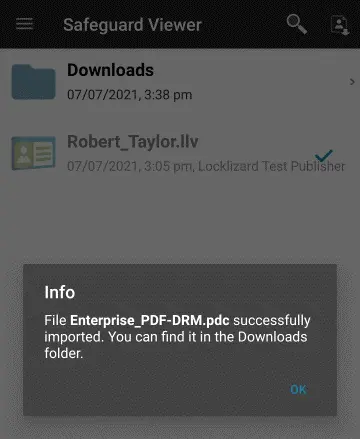
- In Safeguard Viewer, choose Import file, open Downloads and select the files you downloaded.
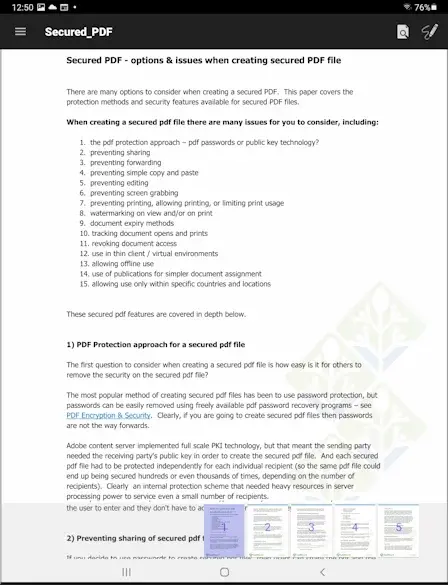
- Tap a .pdc document to open it.
Show screenshots (5)
- Log in to your Mac as an administrator.
- Allow the installer to run: Apple menu, System Preferences, Security & Privacy. Click the padlock, enter your Mac password, and allow apps downloaded from the App Store and identified developers. On newer macOS this is under System Settings, Privacy & Security.
- Open the download and double-click PDCViewerSetup.pkg. The viewer then appears in Applications.
- Stay logged in as an administrator.
- Open the email from Vivitsu and download the file under Your License.
- OR
- Log in at thevivitsu.com with your phone number and open Dashboard in the header.
- Under Your Soft Copies, choose Download License. You’ll get a .llv file.
- Open the .llv file and choose Open with Safeguard Viewer. A message confirms you’re registered.
Show screenshots (3)

- Log in at thevivitsu.com with your phone number and open Dashboard in the header.
- Choose the cloud icon to download your files.
- Double-click a .pdc file. It opens in Safeguard Viewer.
Show screenshots (2)
- Make sure your iPhone or iPad has the latest updates.
- Install Safeguard Viewer from the App Store.
- The app icon appears on your Home Screen.
Show screenshots (1)

- Open the email from Vivitsu and download the file under Your License.
- OR
- Log in at thevivitsu.com with your phone number, tap the menu (three lines) in the header, then Dashboard.
- Under Your Soft Copies, choose Download License. You’ll get a .llv file.
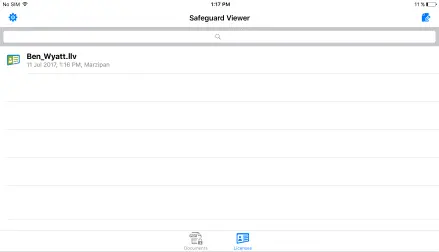
- Open the .llv file with Safeguard Viewer.
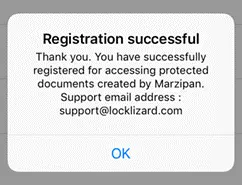
- A message confirms you’re registered. The license then shows greyed out in the library.
Show screenshots (5)
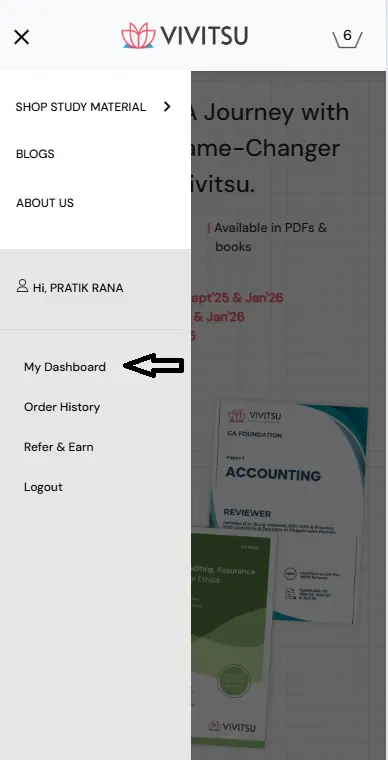
- Log in at thevivitsu.com with your phone number, tap the menu (three lines) in the header, then Dashboard.
- Tap the cloud icon to download your files.
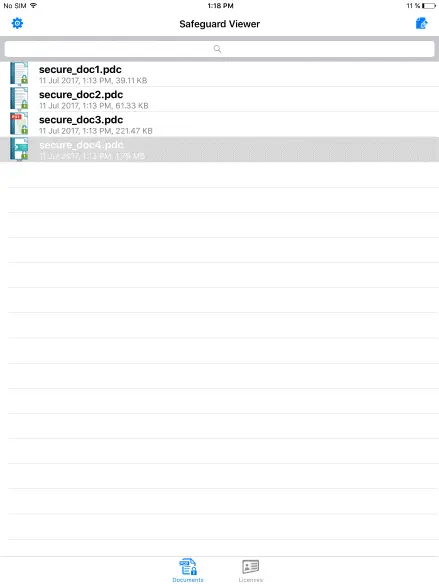
- Tap a .pdc document to open it in Safeguard Viewer.
Show screenshots (3)
Stuck on a step?
We’ll help you set it up. Monday to Saturday, 10 am to 6:30 pm.

.webp)


